How to Track Your Renovation Budget Without Losing Your Mind
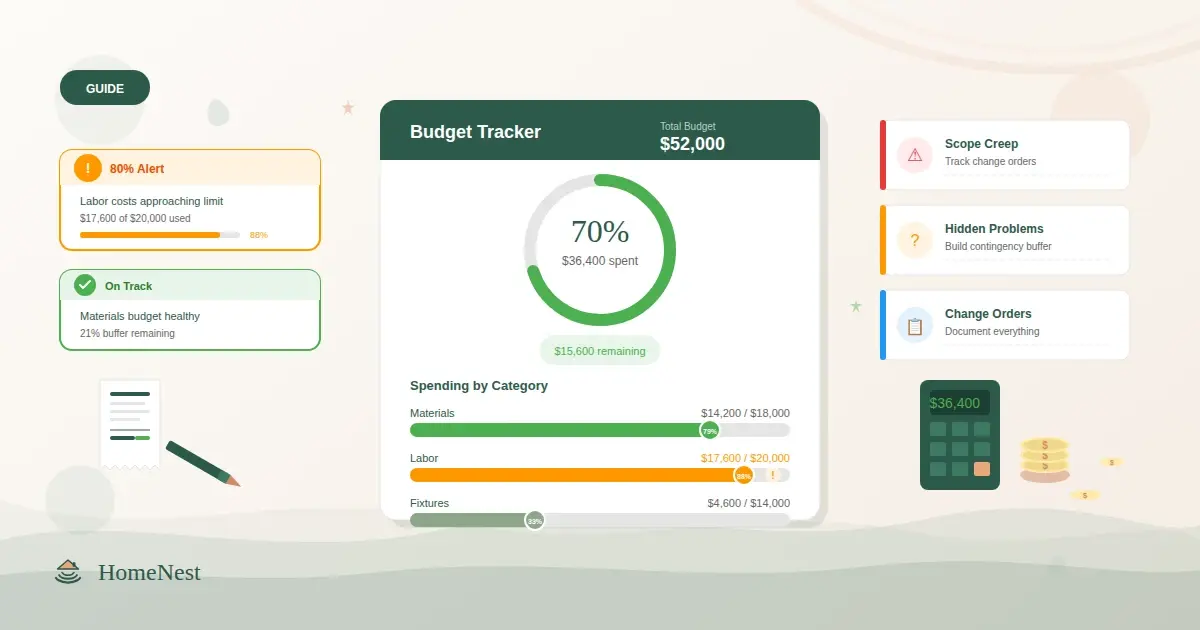
Here is a statistic that no homeowner wants to hear: most renovations go over budget. Not by a little. The typical overrun is 10-20%, and many projects blow past that.
The reason is rarely a single catastrophic expense. It is dozens of small decisions that each seem reasonable in isolation — upgrading the faucet, adding an extra outlet, choosing the slightly nicer tile — that compound into thousands of dollars you did not plan for.
The good news: budget overruns are preventable. Not with willpower. With systems. If you can see exactly where your money is going, in real time, you make different decisions. Better decisions.
This guide breaks down exactly how to set up a renovation budget that actually works, how to track it without drowning in spreadsheets, and how to catch problems before they become expensive.
Why Renovations Go Over Budget
Before you can fix budget overruns, you need to understand what causes them. These are the most common culprits:
Scope creep. You start with "replace the kitchen cabinets" and end up redoing the flooring, backsplash, lighting, and appliances. Each addition seems small, but they stack up.
Hidden problems. Open a wall and find water damage. Pull up old flooring and discover subfloor rot. These surprises are not rare — they are practically guaranteed in older homes.
Vague estimates. "The kitchen will cost about 30,000" is not a budget. It is a guess. Without line-item breakdowns, you have no way to know where the money is actually going.
Change orders without tracking. Your contractor suggests a modification mid-project. You agree verbally. The cost gets added to the final bill, and you have no record of when you approved it or what the original plan was.
Material price fluctuations. The tile you priced three months ago costs 15% more when you actually order it. Lumber prices can shift significantly between planning and purchasing.
Paying ahead of schedule. Paying contractors before milestones are met removes your leverage and makes it harder to hold the project to standard.
Setting Up Your Renovation Budget: The Right Way
Step 1: Break Everything Into Categories
A single "renovation budget" number is useless for tracking purposes. You need categories that match how money actually flows in a renovation:
- Demolition and disposal — teardown labor, dumpster rental, hauling fees
- Structural work — framing, load-bearing wall modifications, foundation repairs
- Plumbing — rough-in, fixtures, connections, permits
- Electrical — wiring, panel upgrades, outlets, switches, fixtures
- HVAC — ductwork, units, vents, thermostats
- Insulation and drywall — wall and ceiling insulation, hanging and finishing drywall
- Flooring — materials, underlayment, installation labor
- Cabinetry and countertops — kitchen and bathroom cabinets, countertop fabrication and install
- Painting and finishing — interior paint, trim, stain, wallpaper
- Fixtures and hardware — faucets, handles, towel bars, light fixtures
- Appliances — kitchen and laundry appliances
- Windows and doors — replacement units, installation, trim
- Exterior — siding, roofing, gutters, landscaping
- Permits and inspections — building permits, inspection fees, architectural drawings
- Contractor labor — general contractor fees, subcontractor payments
- Contingency — the 15-20% buffer for unexpected costs
Assigning a budget to each category forces you to think through the real costs instead of working from a feel-good total.
Step 2: Set Your Contingency and Do Not Touch It (Unless You Must)
Your contingency fund is not bonus money. It is insurance. Set it at 15% for newer homes and 20% for homes older than 30 years. Only dip into it for genuine surprises — structural issues, code violations, hidden damage. Not for upgrades.
Step 3: Track Every Single Expense
This is where most people fail. They set up a beautiful budget at the beginning and then stop updating it after week two.
Every expense needs to be logged with:
- The amount
- The category it belongs to
- The supplier or contractor
- The payment method and status
- Any receipt or invoice
This sounds tedious. With the right tool, it takes under a minute per transaction.
Tracking Methods: What Works and What Does Not
The Notebook Method
Some people track renovation expenses in a physical notebook. This is better than nothing, but it fails in three critical ways: you cannot sort or filter entries, you cannot see totals by category, and you cannot share it with your partner or contractor. When you need to answer "how much have we spent on plumbing so far?" you are flipping through pages and adding numbers by hand.
The Spreadsheet Method
Spreadsheets are a significant upgrade. You can create categories, use formulas for running totals, and see your budget versus actual spending at a glance. For a single-room renovation, a well-built spreadsheet works fine.
But spreadsheets have limits. They do not alert you when you are approaching your budget cap. They do not connect your expenses to your project timeline, your contractor contacts, or your documents. They require manual updating and are easy to fall behind on. And sharing them with contractors or partners creates version control problems.
The Purpose-Built Tool Method
A dedicated renovation tracking tool solves these problems by connecting your budget to every other aspect of your project.
HomeNest was built specifically for this. When you log an expense, it automatically updates your budget tracking across all categories. You can see at a glance how much of each category's budget you have consumed. The system triggers alerts when any category hits 80% of its allocation — giving you time to adjust before you overspend — and again at 100% so nothing slips through unnoticed.
Because everything lives in one platform, your expenses connect to your project stages, your contractor records, and your document vault. When you want to know "how much did we pay the plumber and is the receipt on file?" the answer is two clicks away, not buried in an email thread.
The Budget Categories That Catch People Off Guard
Certain budget categories are notorious for overruns. Knowing which ones to watch helps you allocate more carefully:
Kitchen renovations are the biggest budget risk. The national average for a mid-range kitchen renovation is $25,000-$40,000, but costs vary enormously by region and scope. Cabinets alone can consume 30-40% of the kitchen budget. If you are watching one category closely, make it this one.
Plumbing and electrical consistently come in over initial estimates because the full scope is often invisible until walls are opened. Budget 20-30% above your plumber and electrician's initial quotes.
Permits and inspections are frequently forgotten entirely. Depending on your municipality, permits for a major renovation can run $500-$3,000. Factor them in from the start.
Finishing touches seem minor individually but add up fast. Cabinet hardware, light switch plates, towel bars, outlet covers, doorstops — a typical home renovation involves hundreds of these small purchases that rarely appear in the initial budget.
When to Use Budget Alerts (And How to Respond)
Budget alerts are only useful if you know what to do when they trigger.
At 80% of a category budget:
- Review remaining work in that category
- Identify any planned expenses you can reduce or defer
- Check if you have any change orders pending that would push you over
- Decide now whether to reallocate from another category or accept the overage
At 100% of a category budget:
- Stop all non-essential spending in that category immediately
- Review with your contractor whether remaining work can be value-engineered
- Decide whether to pull from contingency or make cuts elsewhere
- Document the overage and the reason so you can learn from it
The key is that these decisions happen at 80% and 100%, not at 150% when it is too late to adjust.
Keeping Your Contractor Honest (And Your Relationship Healthy)
Budget tracking is also a contractor management tool. When you can see real-time spending against each category, your conversations with contractors change:
- Instead of "this seems expensive," you can say "we have used 78% of the plumbing budget with two fixtures still to install. Let us discuss options."
- Change orders get documented immediately, with cost impact visible in the overall budget
- Payment disputes become rare because both parties can reference the same records
Giving your contractors access to their portion of the project — which HomeNest supports through its contractor portal — builds transparency. They can see their assigned stages and update their progress. You maintain full visibility over the budget. Everyone stays aligned.
The Documents You Need to Keep
Budget tracking without document management leaves gaps. For every major expense, you should have:
- The original quote or estimate
- The signed contract or change order
- The invoice
- Proof of payment
- The receipt
- Any warranty documentation
These documents protect you during the project and after it. If a fixture fails within the warranty period, if you have a dispute with a contractor, if you sell the home and need to disclose renovation history — having organized records matters.
Storing them in the same system where you track your budget means you never have to search your email, your phone photos, and your filing cabinet to find a single receipt.
Your Renovation Budget Action Plan
- Break your total budget into the 15 categories listed above
- Set contingency at 15-20% and do not touch it for upgrades
- Log every expense the day it happens, with category, amount, and receipt
- Set alerts at 80% and 100% for every category
- Review your budget weekly with your partner or project manager
- Keep all contracts, invoices, and receipts in one place
- Use your budget data in every contractor conversation
The renovation that stays on budget is the renovation that gets tracked. Start before you spend your first dollar.
Ready to organize your renovation?
Start tracking your budget, timeline, and documents in one place. Free to get started.
Start for free